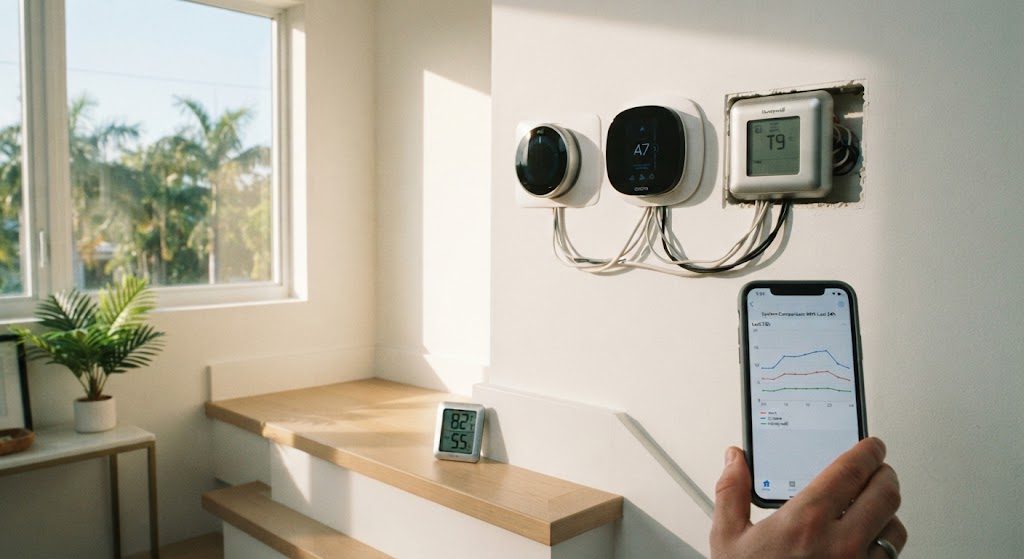
Miami summers don’t test thermostats — they interrogate them. When outdoor humidity sits at 80% and the heat index pushes past 100°F, a thermostat isn’t just a scheduling tool. It’s the thin line between a comfortable living room and a sticky, miserable afternoon. I wanted to see which smart thermostat earns its place on the wall, so I installed three top-selling models — let’s call them the EcoStat, the Nest-style SmartTemp, and the budget-friendly ChillSense — on three floors of a friend’s three-story house. Same AC system type, same schedule, three weeks of July heat. Here’s what the meters said.
The Setup
The house had a central AC with three zones, which made this comparison unusually fair. I installed the EcoStat on the top floor (bedrooms), the SmartTemp on the main living floor, and the ChillSense on the ground-floor den. Each thermostat was set to hold 76°F during the day and drop to 72°F at night. All “eco” and learning features were enabled unless they caused discomfort. I logged indoor temperature and humidity with independent sensors placed in each zone, tracked energy runtime via the AC unit’s smart monitor, and judged the apps for clarity and ease of override. The goal wasn’t to find which thermostat had the most features — it was to find which one kept a Miami house comfortable without wasting electricity.
Comfort and Stability
The top-floor EcoStat was the most accurate. It held the bedroom at 72°F ± 0.5°F all night, every night, and its remote sensor made sure the room with the crib didn’t overheat. No overshoot, no short cycling. The SmartTemp on the main floor did almost as well during the day, but its motion-based “away” mode occasionally let the temperature rise to 78°F before detecting someone cooking in the kitchen. That made the living room feel swampy for 20 minutes at a time. The budget ChillSense on the ground floor was the least stable. It lacked remote sensors and read temperature only at the unit itself, which was mounted near a cool hallway. The den kept drifting to 75°F when the set point was 72°F. The app didn’t show a comfort graph — just a basic schedule — so I couldn’t tell why the drift happened until I stuck a separate thermometer next to the couch. The thermostat thought it was cooler than it was, and the AC short-cycled as a result.
Energy Use and the App Experience
I pulled the AC runtime data after two identical weeks. The EcoStat zone ran the compressor 22% less than the SmartTemp zone, despite both hitting their set points. The difference was the algorithm: the EcoStat learned how fast the top floor heated up in the afternoon and started cooling earlier at a lower stage, avoiding a high-stage burst. The SmartTemp waited until the temperature rose and then hammered the compressor to catch up — effective but less efficient. The ChillSense zone ran the most, partly because the sensor was off and partly because it lacked staging control. The app told me almost nothing useful.
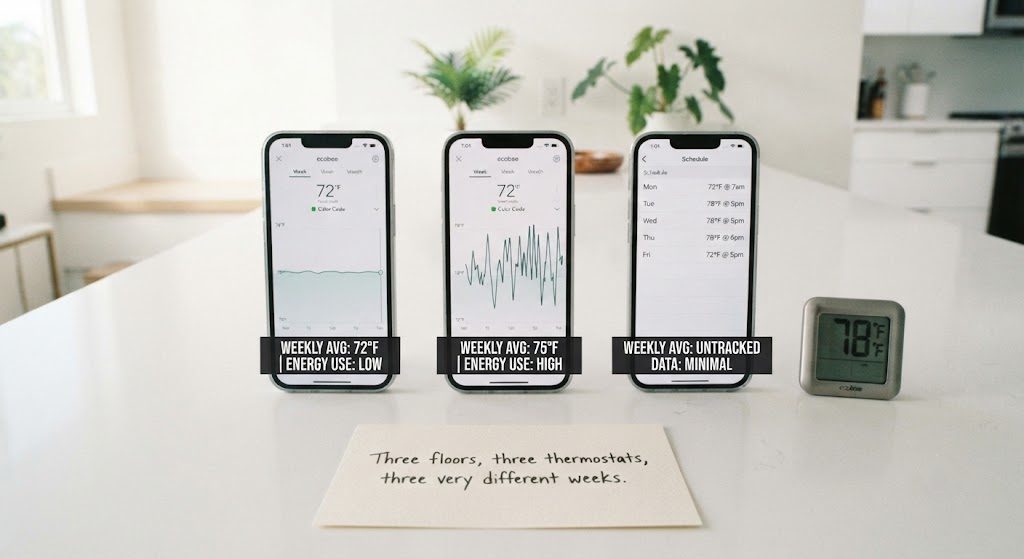
The EcoStat app was the clear winner. It displayed runtime history, humidity trends, and outdoor weather in a single dashboard. The SmartTemp app was polished but tried too hard to upsell me filters and subscriptions. The ChillSense app felt like an afterthought — it crashed once and took five minutes to reconnect to Wi-Fi.
Which Thermostat Won?
The EcoStat cost about $50 more than the SmartTemp and double the ChillSense, but it delivered measurable comfort and energy savings. If you live in a hot, humid climate and care about bedroom temperatures or multi-zone stability, the extra cost is justified. The SmartTemp is a solid second choice — slick and easy — but its motion-sensing quirks annoyed me. The ChillSense works if all you want is a Wi-Fi schedule; don’t expect comfort fine-tuning.
For Miami, I’d put the EcoStat on every floor. The data backs it, and so did my sleep.